
Sociallite -Block Reels&Shorts
SocialliteProductivity
4.3190.00 Reviews
- Version
- 2.0.0.59
- Installs
- 100.00K
- Age Rating
- Everyone
Screenshots
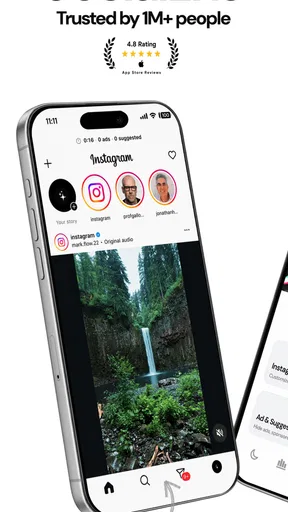
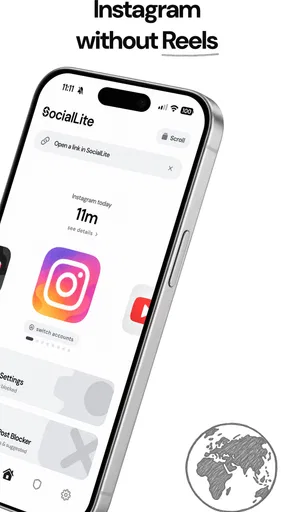
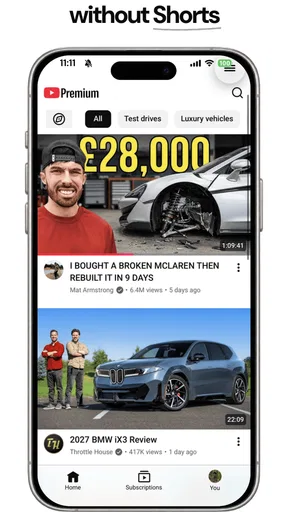
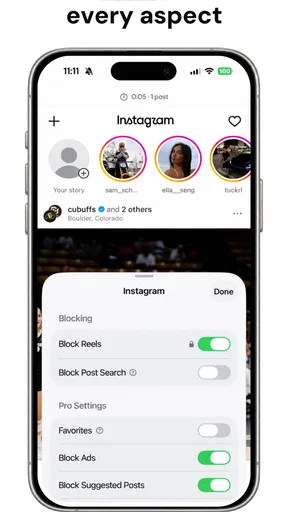
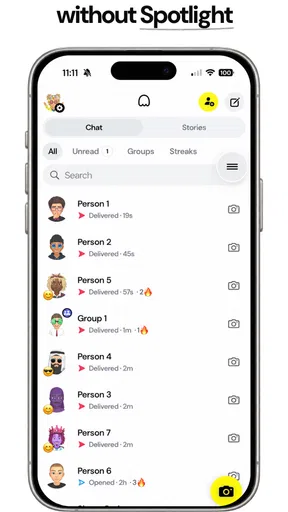
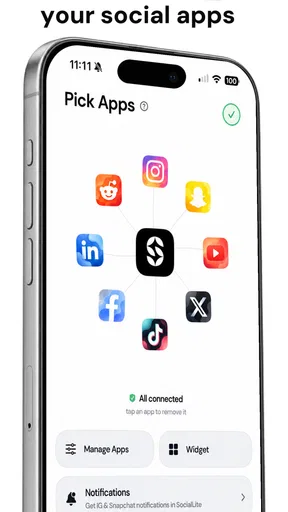
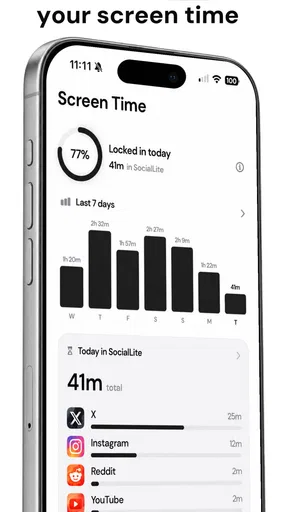
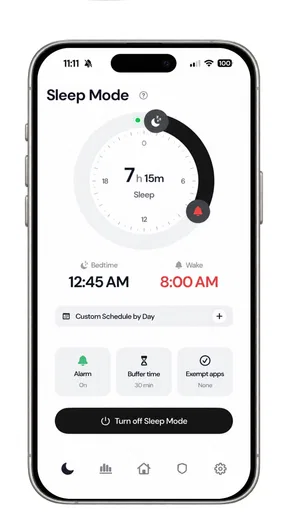
Our Review of Sociallite -Block Reels&Shorts
 Analysis by Appyee
I installed Sociallite because I wanted a more deliberate way to use social media without automatically disappearing into short videos. The idea is simple, but the trust question is more important than the slogan: an app that changes how I access social platforms deserves a careful look at what it lets me control, what choices remain visible, and where I should avoid making assumptions.
Sociallite is a free productivity app from Sociallite, aimed at people who want to reduce the time they lose to Reels and Shorts. It is available for users aged Everyone, supports Android 8.0 and later, and currently appears as version 2.0.0.59. Its average rating is 4.3 from around 5.2K ratings, with over 100K installs, so it has attracted a meaningful audience without feeling like an established default on every phone.
How Sociallite changes the usual social-media routine
The most useful way to understand this app is not as another social network or a general task manager. It sits between me and short-form social content, with the goal of interrupting the reflex to open a feed and keep scrolling. That makes it especially relevant for people who already know which apps consume their attention but struggle to stop once the feed begins.
In my experience, the appeal is strongest during small gaps in the day: waiting for a bus, taking a short break, or checking one message before starting work. Those moments are where a quick visit can quietly become a long session. Sociallite is built around that specific problem rather than trying to organize my entire digital life.
The distinction matters. A conventional productivity app asks me to plan better, while an ordinary social app is designed to keep me engaged. Sociallite addresses the point where those two habits collide. I would not treat it as a replacement for a calendar, focus timer, or full digital-wellbeing dashboard. Its value is narrower and, for the right user, more practical.
Trust begins with knowing what I am changing
Any tool that affects access to social platforms deserves more caution than a simple note-taking app. Before relying on it, I would read the permission prompts carefully, check which account or platform choices are visible, and make sure I understand whether a setting is temporary or persistent. The important habit is to treat every access request as a decision, not as a step to dismiss automatically.
I also recommend testing the app with a low-risk routine first. I would choose one social platform, use the least restrictive setting that still addresses my scrolling, and observe what happens when I need a normal feature such as replying to a message or opening a shared post. This approach makes it easier to identify friction without disrupting work, family communication, or an important account.
That cautious setup is not a criticism of Sociallite specifically. It is the sensible standard for any app placed between a user and another service. A trustworthy experience depends not only on the app’s purpose but also on whether the user can see what is active, change it easily, and leave without losing access to ordinary tasks.
Controls are more useful when they match real habits
The first practical question is not “Can this block everything?” but “What do I actually need to interrupt?” Someone may want to stop short videos during study hours while keeping direct messages available. Another person may prefer a complete break after dinner. I found that defining the problem narrowly produces a more usable routine than trying to create a permanent wall around every social feature.
A good starting workflow is to identify the trigger, choose a predictable time window, and then decide what should happen when the urge appears. For example, I might use Sociallite during a writing session, keep a separate route for essential communication, and review the result after the session rather than changing settings impulsively in the middle of it.
This also exposes a trade-off. Stronger restrictions may create a clearer interruption, but they can become annoying when I need to reach something legitimate. Softer controls may be easier to live with, but they require more personal discipline. The app is most useful when I treat its controls as part of a routine, not as a magical substitute for deciding what matters.
One non-obvious advantage of this approach is that it encourages me to separate “I want to see one thing” from “I want to browse.” Those are different activities. If I open a social app with a specific destination in mind, I should complete that task and leave. If I open it without a reason, that is exactly the moment when an interruption has the most value.
Where data sensitivity enters the experience
Because Sociallite is designed to influence how I use other apps, I would pay close attention to every screen that explains access, account selection, or activity-related choices. I would not assume that a productivity purpose automatically means minimal data handling, and I would not assume the opposite either. The responsible position is to inspect the app’s visible disclosures and system prompts before granting access.
That check is especially important on a shared phone, a work device, or a phone used for sensitive accounts. I would avoid enabling anything I cannot explain in plain language. If a permission appears unrelated to the way I intend to use the app, I would pause and investigate it rather than granting it out of habit.
There is also a practical privacy moment when someone else borrows the phone. A blocking or filtering setup can reveal that the user is trying to limit social media, and a visible interruption may expose personal routines. I would therefore test how the app presents its controls on the lock screen, in notifications, and during normal phone use before depending on it in public or professional situations.
Another sensible step is to review the app after an update. The current version is 2.0.0.59, and updates can alter layouts, settings, or the way permissions are presented. I would revisit the relevant choices after updating instead of assuming that an earlier setup remains identical. That takes little time and prevents an old assumption from becoming a long-term blind spot.
Keeping control instead of fighting the tool
The best digital-wellbeing tools leave me feeling more in charge, not trapped in a battle with my own phone. Sociallite works better when I decide in advance when restrictions should apply and when I should be able to change them. If bypassing a setting is frustratingly difficult, I may simply remove the app; if bypassing it is effortless, I may ignore it. The useful middle ground is a deliberate choice with enough friction to interrupt an impulse.
I would also create an exit plan for necessary tasks. Before starting focused work, I might open important messages, save a needed link, or tell a contact when I will be available. This prevents the app from becoming the scapegoat when the real problem is poor preparation. It also makes the restriction feel intentional rather than arbitrary.
A second advanced habit is to use it as an experiment instead of a permanent identity. Try a short period with one clearly defined goal: fewer accidental visits, less late-night scrolling, or uninterrupted study blocks. At the end, ask whether the problem was reduced and whether the inconvenience was acceptable. If the answer is no, the right response may be a different tool or a change in the social platform itself.
For parents or families, I would be careful not to present it as a secret monitoring solution. The age classification is Everyone, but that does not make it a substitute for an open conversation, device-level family controls, or a parent’s understanding of the phone’s broader settings. Its productivity purpose is personal, and I would use it transparently rather than treating it as a hidden control mechanism.
A realistic day with the app
Imagine I have a report to finish in the afternoon. I open a social app intending to answer one direct message, but the feed immediately offers short videos. Without an interruption, I can lose the beginning of my work period before noticing. With Sociallite configured around that work routine, I can handle the essential communication and then use the restriction as a signal that browsing is not part of the next block.
The important detail is what happens afterward. I would not keep changing the setting every few minutes. I would write down the message I need to answer, complete it, and return to the report. If the setup blocks something necessary, I would adjust the routine later, not abandon the entire idea during the moment of temptation. That small separation between planning and reacting is where the app can provide real value.
In the evening, the same method can work differently. I may want a complete break from short videos after a certain point, but still need my phone for calls or navigation. That is a case where the boundaries matter. Sociallite is worth keeping only if its behavior fits the way I actually use the phone; a restriction that interferes with unrelated essentials will quickly become more trouble than it is worth.
Where it beats ordinary alternatives, and where it does not
Compared with relying only on willpower, Sociallite adds a visible interruption at the exact point where the habit begins. Compared with a general screen-time dashboard, it is more focused on the short-video problem and may feel less overwhelming to someone who does not need a complete report on every minute spent on the phone.
On the other hand, a device’s built-in digital-wellbeing tools may be the better choice for users who want one central place for app timers, downtime, notifications, and broader usage information. Those tools are already integrated into the operating system, so they may create less setup friction. A browser extension or a social platform’s own feed controls could also be preferable when the goal is limited to one service.
I would choose Sociallite over a broad productivity suite when my main issue is compulsive short-video access rather than scheduling or project management. I would choose a broader system when my distraction comes equally from games, news, messaging, and shopping. The app’s focus is a strength, but it is also the reason it will not solve every kind of digital overload.
There is a further trade-off around cost. The app is free to start, while in-app purchases range from around four dollars to around 120 dollars per item. That spread makes it important to inspect the purchase screen carefully and understand what is optional before paying. I would not upgrade simply because I am frustrated during a blocked session; I would first confirm that the extra capability addresses a recurring need.
Who will appreciate it most
Sociallite makes the most sense for someone who already recognizes a specific pattern: opening social media for a small task and ending up in endless short-form browsing. Students, remote workers, writers, and anyone with a phone-based work routine may appreciate a focused interruption more than another dashboard full of charts.
It can also help people who have tried broad time limits but keep overriding them because the limits feel too general. Narrowing the goal to Reels and Shorts makes the behavior easier to observe. Instead of asking me to become perfectly disciplined, the app gives me a chance to put structure around the most troublesome part of my routine.
I would be less enthusiastic for someone who needs unrestricted access to social feeds for work, customer support, live events, or community management. It may also be a poor fit for a person whose main distraction is unrelated to short videos. In those cases, an operating-system control, a browser-based solution, or a conventional focus app could offer better coverage with fewer compromises.
My cautious verdict after weighing control and friction
I like Sociallite’s focused purpose. It addresses a recognizable modern habit without pretending to be a complete productivity system, and its strongest benefit is the moment of pause before a casual visit turns into a long session. The app becomes more convincing when I use it with a specific routine, a clear fallback for essential communication, and regular checks of its visible settings.
My reservation is that any app affecting access to social services must be judged through user control as much as convenience. I would inspect permissions, disclosures, notifications, account choices, and purchase screens before making it part of my daily routine. I would also test it gradually, especially on a work phone or a device used for important communication.
For me, the recommendation is conditional but positive: try it if short-form scrolling is the precise problem you want to interrupt, and begin with one clearly defined use case. Skip it if you need a complete digital-wellbeing system or uninterrupted social-media access. The real test is whether Sociallite gives you a deliberate choice without creating new uncertainty about your phone.
With its free entry point, Everyone age classification, and focused productivity angle, it is easy to experiment with responsibly. Just remember that the app is a tool for changing a habit, not proof that the habit has disappeared. Used with transparent settings and a realistic plan, it can make a small but meaningful difference in how I decide when to scroll.
Verdict
Strengths of Sociallite -Block Reels&Shorts
- Blocks distracting short-video feeds across supported social apps.
- Simple controls make it easy to enable or disable blocking.
- Can help reduce accidental time spent scrolling through endless clips.
- Lightweight design should have little effect on everyday device performance.
- Useful for users seeking a calmer, more intentional social-media routine.
Limitations of Sociallite -Block Reels&Shorts
- Support may vary between Android versions and individual social-media apps.
- Blocking behavior can stop working after an app or system update.
- Some features may require accessibility permissions or other sensitive access.
- It may not block short videos opened through links or alternative app sections.
- Users can disable the blocker easily, reducing its effectiveness without discipline.
Similar Picks in This Category
View All
Google Calendar
Google LLC4.6

Google Drive
Google LLC4.3

Google Assistant
Google LLC3.9

Microsoft OneDrive
Microsoft Corporation4.6

Samsung Calendar
Samsung Electronics Co., Ltd.4.1

Microsoft OneNote: Save Notes
Microsoft Corporation4.6
Frequently Asked Questions
What is Sociallite - Block Reels&Shorts, and how does it work?
Sociallite - Block Reels&Shorts is designed for people who want to reduce exposure to short-form video content on social media. After installation, it can help hide or block areas such as Reels, Shorts, and similar distracting feeds, depending on the supported platform and device settings. The exact behavior may vary between Android and iOS, so users should review the app’s permissions and compatibility information before downloading.
Does Sociallite - Block Reels&Shorts block all social media content?
No, the app is generally intended to target short-video sections rather than disable an entire social network. You may still be able to use messaging, profiles, posts, search, and other features normally, depending on how Sociallite works with the selected application. Blocking is not always perfect because social platforms frequently change their layouts, so some recommendations or video links may occasionally remain visible.
Is Sociallite - Block Reels&Shorts safe to use, and what permissions does it require?
Before using Sociallite, check the permissions requested during setup and make sure they match its purpose. Tools that modify or filter what appears on screen may require accessibility, screen-time, content-filtering, or similar system access. These permissions can be powerful, so download the app only from a trusted store, read its privacy policy, and avoid granting access that seems unrelated to blocking short-form videos.
Can I temporarily disable the blocking feature when I need to watch Reels or Shorts?
In most cases, a blocking or focus tool is more useful when it offers a way to pause, schedule, or adjust its restrictions. However, the available controls can differ by operating system and app version. Look for settings such as an on/off switch, allowed apps, schedules, or temporary breaks. If you want strict control over distractions, remember that easily disabling the filter may reduce its effectiveness.
Is Sociallite - Block Reels&Shorts free, and are there any limitations?
The download may be free, but some features can depend on subscriptions, in-app purchases, advertising, or platform-specific restrictions. Before installing, review the store listing for pricing, trial terms, supported devices, and cancellation details. Also keep in mind that blocking performance may change after updates to Instagram, YouTube, or other social platforms, and certain advanced controls may not be available on every device.
